What is group allocation?
Group allocation is the process of assigning participants to smaller working groups. Random allocation can save time and widen who works together when the facilitator also provides a clear task and expected output.
EdAuthor activity template
Random allocation can widen who works together and reduce time spent negotiating groups. The activity succeeds when the facilitator pairs the allocation with a precise task, a visible time boundary and a clear route back to the full group.
A community group is planning a more welcoming shared space. People contribute an observation, meet in small groups and agree which improvement to explore first.
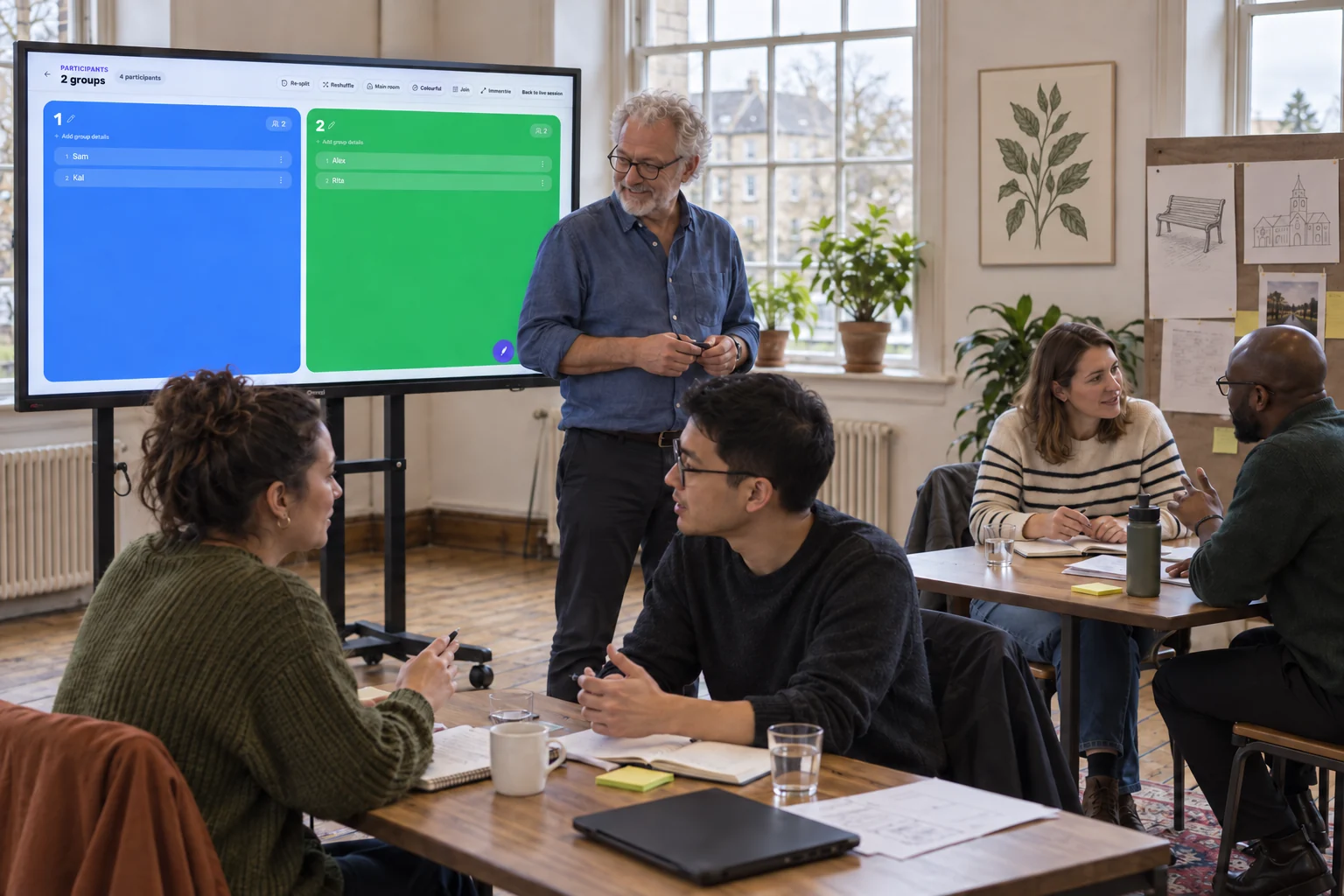
Explain the output before assigning groups: one improvement that makes the space easier to use.
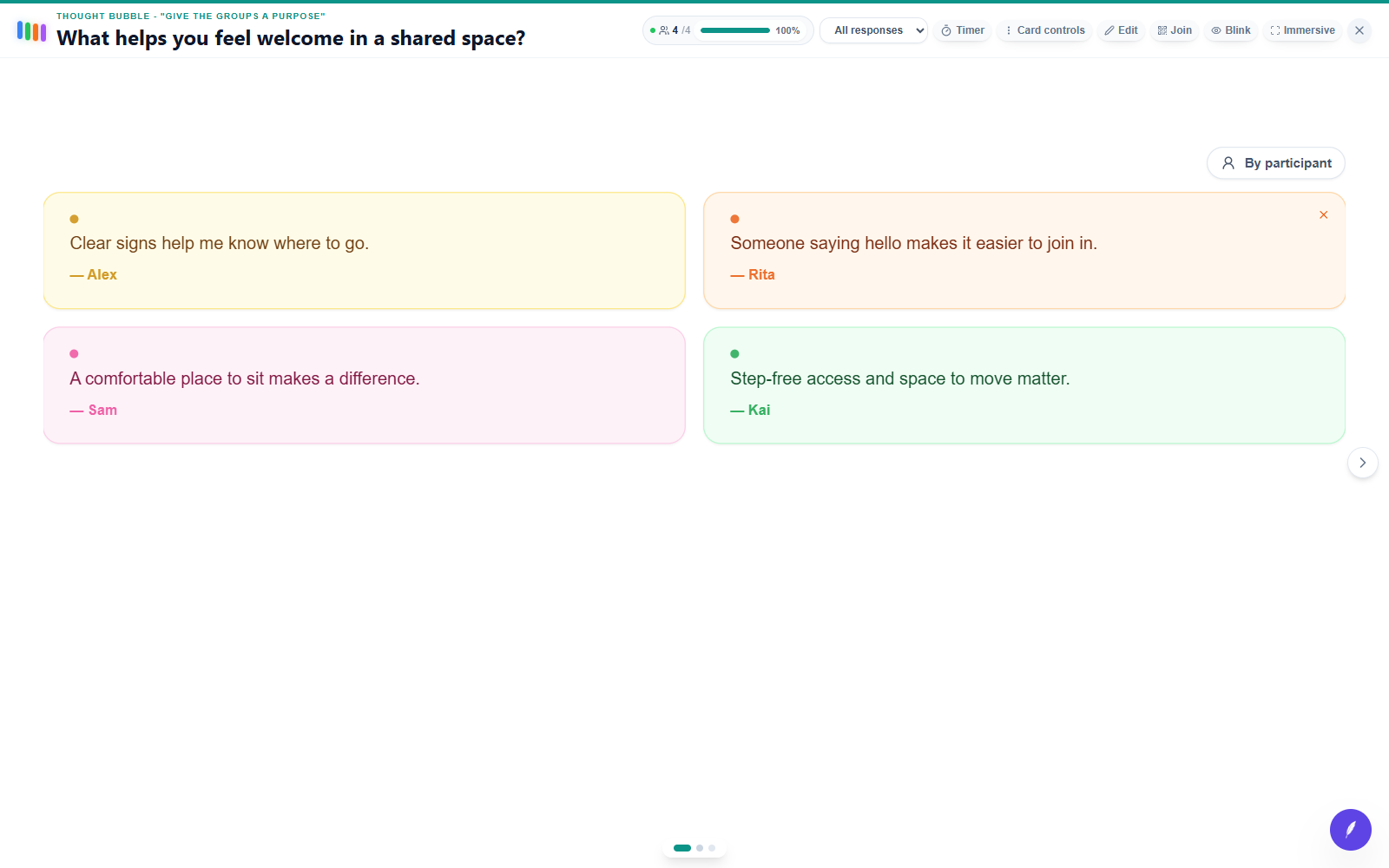
Signs, seating, a friendly welcome and access give the group practical starting points.
Create balanced groups from the participants who have joined. Give them a shared question and a clear time limit.
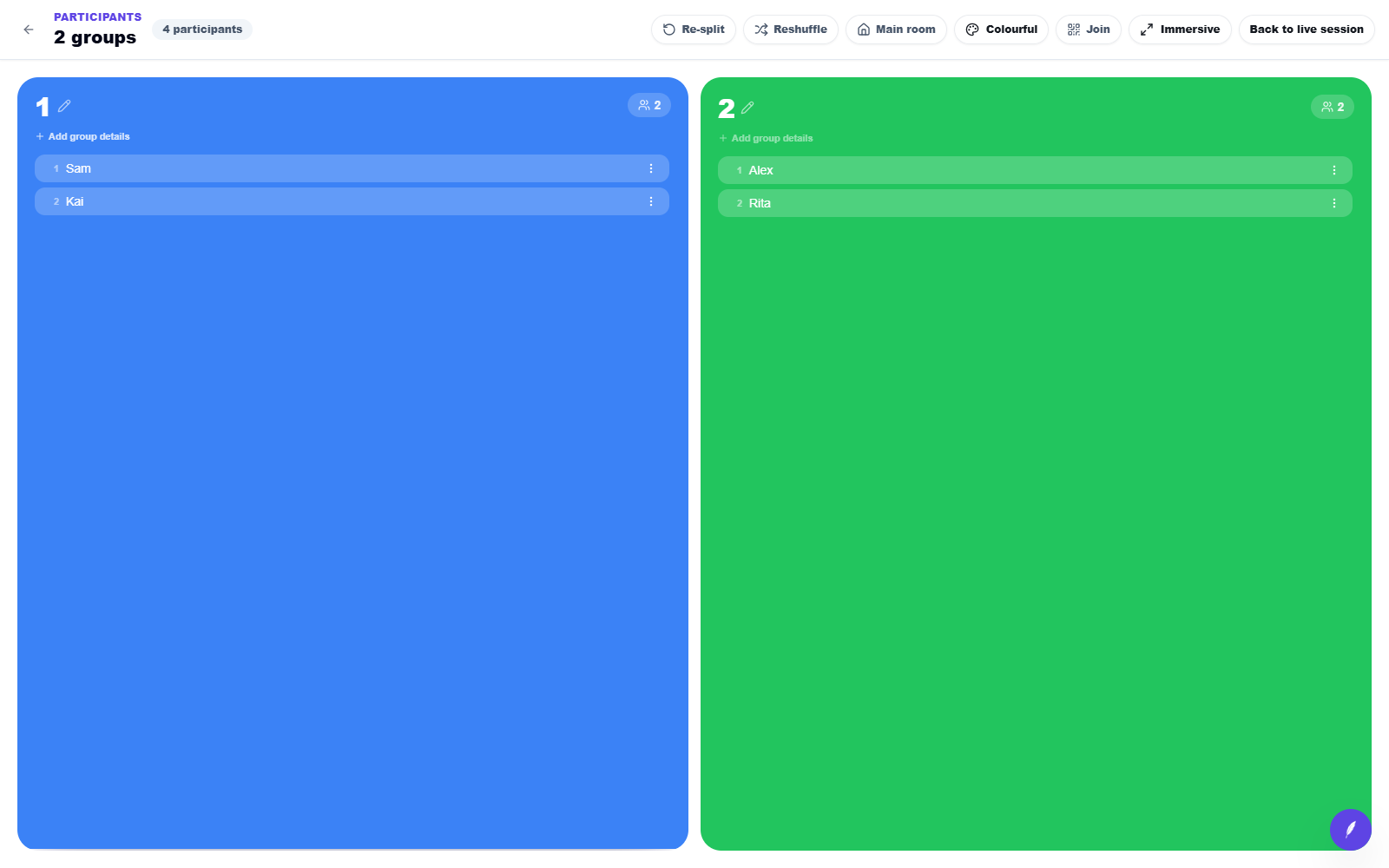
Everyone has a group and the same starting point. People can concentrate on the task instead of arranging teams.
Bring the room back together and compare priorities. Ask groups to explain the need behind their first choice.
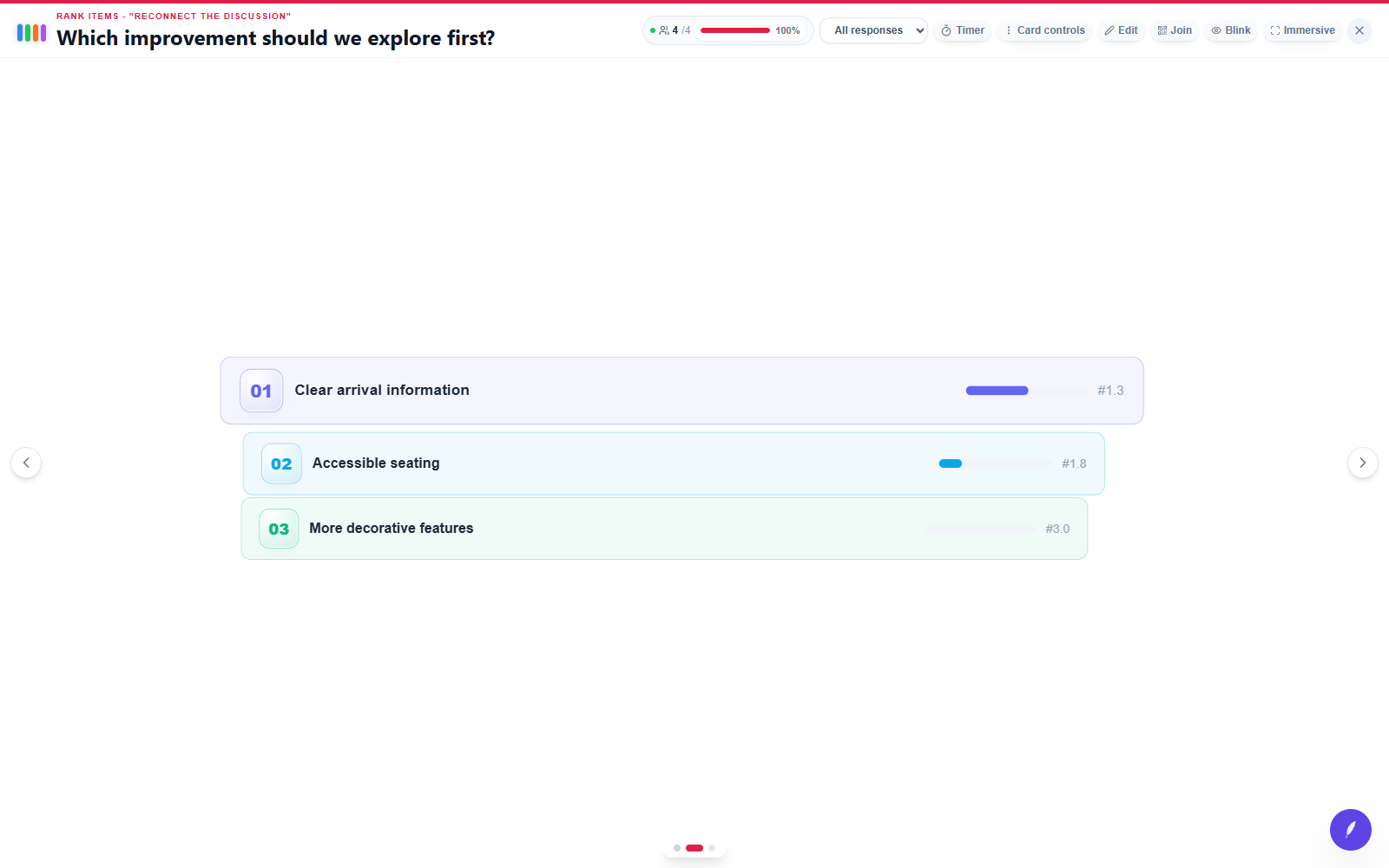
Clear arrival information comes first in this example, followed by accessible seating.
Actual edauthor screens with demonstration responses. Scene artwork is illustrative.
Create working groups quickly without losing clarity about the purpose or output.
Set up the activity around one clear purpose and decide how the responses will shape what happens next.
Guide participants through a visible sequence with enough time to think, contribute and learn from the emerging results.
Group allocation is the process of assigning participants to smaller working groups. Random allocation can save time and widen who works together when the facilitator also provides a clear task and expected output.
Yes. Hosts can organise people who have joined the live session into smaller working groups.
Three to five people often supports active discussion, although the right size depends on the task, time and participant needs.